 EaseMate AI
Students
Break a difficult topic into plain-language explanations, practice questions, and a revision plan that matches your level.
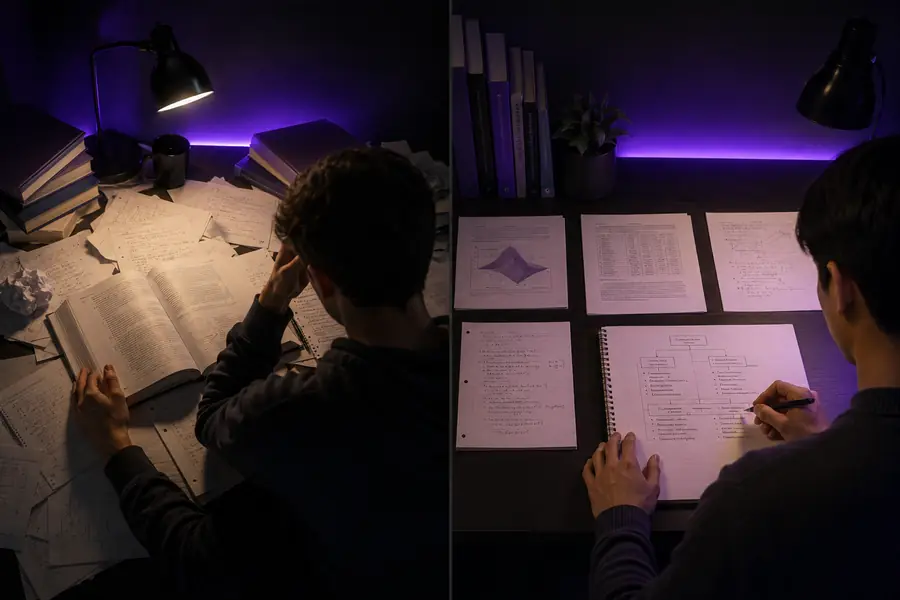
Use the EaseMate AI image generator for visual notesFocused AI assistance
EaseMate AI chat gives you one calm workspace for asking questions, exploring ideas, improving drafts, and planning the next step. Start with a rough thought and guide the conversation toward a clear, usable result.
The value is simple: describe what you need, add useful context, and keep refining the answer until it fits your goal. If your idea needs a visual next, continue with the EaseMate AI image generator; for motion and storytelling, explore the AI video generator.
Say whether you want an explanation, outline, rewrite, comparison, brainstorm, or practical plan.
Add your audience, source material, tone, deadline, or constraints so the response has a useful direction.
Ask for a shorter version, examples, a table, a checklist, or another revision instead of starting over.

Practical modes
Good chat is more than a single answer. EaseMate AI helps you move through a repeatable cycle: understand the task, develop the material, and turn it into something ready to use.
Break a difficult topic into plain-language explanations, practice questions, and a revision plan that matches your level.
Use the EaseMate AI image generator for visual notesTurn scattered notes into an outline, adjust tone for a specific audience, or request several stronger openings before choosing one.
Pair a script with an AI video generatorCompare viewpoints, identify open questions, summarize supplied material, and organize findings before deeper verification.
Map concepts with the EaseMate AI image generatorBrainstorm campaign angles, transform a concept into scenes, and keep voice and audience requirements visible throughout the process.
Turn the strongest idea into an AI video generator promptA repeatable workflow
A productive session usually begins with a small request and becomes more specific over time. The table below shows how a focused chat compares with scattered tool hopping, where context is repeatedly lost.
| Attribute | Focused AI chat | Scattered workflow |
|---|---|---|
| Starting point | One question with a clear goal | A new tool for every small task |
| Context | Built through follow-up prompts | Copied and pasted between tabs |
| Revision | Ask for tone, length, or format changes | Restart when the output misses the brief |
| Output format | Notes, steps, tables, drafts, or ideas | Often limited to one default response |
| Creative handoff | Move from planning to visual creation | Re-explain the idea elsewhere |
| Best use | Exploration that ends in a usable result | Quick one-off tasks with no revision |

Use it thoughtfully
EaseMate AI is useful for thinking, drafting, organizing, and exploring, but chat is not a substitute for judgment. Treat important outputs as working material and check them before relying on them.
A fluent answer can still contain an outdated detail, weak assumption, or unsupported statement, especially on changing topics.
Workaround: request sources, check primary references, and confirm dates or numbers independently.
Medical, legal, financial, safety, and other high-stakes decisions need qualified human review and local context.
Workaround: use the conversation to prepare questions, summaries, or options for a professional.
If the audience, purpose, constraints, or source material is unclear, the response may be generic or pointed in the wrong direction.
Workaround: state who the result is for, what success means, and what should be avoided.
A draft still needs your voice, fact-checking, accessibility review, and final polish before publication or submission.
Workaround: finish with a human review checklist and test the result in its real destination.
Keep exploring
These answers cover the most natural questions around the chat entry point and how it fits with the rest of the creative workspace.
It is a conversational workspace for asking questions, developing ideas, rewriting text, organizing information, and preparing creative or study-related work through follow-up prompts.
Yes. You can use it to explain a lesson, generate practice questions, plan research, draft content, brainstorm visual directions, or turn a loose idea into a structured brief.
Begin with the outcome you want, then add audience, tone, source material, format, and constraints. If the first answer is close but not right, explain what to change and continue the same conversation.
Use this simple planning estimate to see how a single workspace can reduce repeated setup across a session.
Estimate assumes four minutes of repeated setup avoided per question; actual time depends on the task and how much review it needs.