DANCE 2.5, Limited-Time Offer. GET STARTED
EaseMate AI logo EaseMate AI
English

A clear starting point

What is EaseMate AI app—and what can it do?

If you are searching for what is EaseMate AI app, the short answer is that EaseMate AI is a browser-based creative and productivity assistant. It brings chat, writing, research, study support, image creation, document help, and video ideas into one simple workspace.

Explore EaseMate AI

The one-line definition

EaseMate AI is an all-in-one AI app experience for turning a question, file, image, or rough idea into a useful next step. Instead of opening separate tools for every task, you can use EaseMate AI to explore information, shape language, solve study problems, and develop visual concepts from one starting point. The app is best understood as a flexible workspace rather than a single-purpose generator.

  1. Start with a task

    Describe what you need in everyday language, whether that is a study plan, a clearer paragraph, research direction, or creative prompt.

  2. Choose the right mode

    EaseMate AI can guide a conversation, work with documents, or help develop an image and video concept based on your goal.

  3. Refine the result

    Review the response, ask for changes, and add context until the output fits your assignment, project, or creative direction.

From idea to usable output

How it works from prompt to result

The EaseMate AI workflow is conversational and iterative. You provide an objective, background, or source material; the assistant interprets the request and proposes an answer or draft; then you steer the next version with follow-up instructions. That makes EaseMate AI useful when the first attempt is only the beginning. For a browser-first overview, see EaseMate AI online, while EaseMate AI chat is a natural place to begin with questions and drafts.

For visual work, the app can help you move from a written description to a more developed concept. The EaseMate AI image generator is suited to exploring styles, scenes, posters, and social content. The quality of an answer still depends on the clarity of the prompt, the context you provide, and the care you take reviewing the result.

Useful, with boundaries

What it can and cannot do

EaseMate AI can accelerate the first draft, explain a difficult concept, organize scattered notes, and suggest creative directions. It should not be treated as an unquestionable authority or an automatic replacement for your judgment. These limits are important when deciding how to use the app.

It can be confidently wrong

An EaseMate AI response may sound polished while containing an incorrect fact, calculation, citation, or interpretation.

Workaround: verify important claims with trusted sources and check every calculation that affects your decision.

It needs useful context

A short or vague prompt can produce a generic result that misses your audience, format, tone, or real constraints.

Workaround: state the goal, audience, source material, length, and preferred style before asking for a final version.

It does not know your intent automatically

EaseMate AI can infer patterns from your words, but it cannot read unstated preferences, private circumstances, or feelings.

Workaround: explain what success looks like and correct the direction early rather than accepting the first output.

It is not a finished creative director

The app can propose words, images, and concepts, but taste, originality, editing, and responsible publishing remain human responsibilities.

Workaround: use the output as a starting point, then revise it for accuracy, voice, accessibility, and ownership.

One workspace, many starting points

Who uses the assistant?

EaseMate AI is designed for people who want help moving from a blank page to a workable direction. Students can use it to break down a topic, create revision questions, or organize a study plan. Writers and marketers can test angles, outlines, headlines, and campaign ideas. Researchers can use EaseMate AI to summarize supplied material and identify follow-up questions. Creators can explore image styles, story concepts, and video treatments before making a final choice.

The most effective users keep ownership of the outcome. They bring the subject knowledge, decide which suggestions are appropriate, and edit the result for their audience. In that role, the EaseMate AI app behaves less like an autopilot and more like a fast brainstorming partner that can switch between practical and creative tasks.

Before After
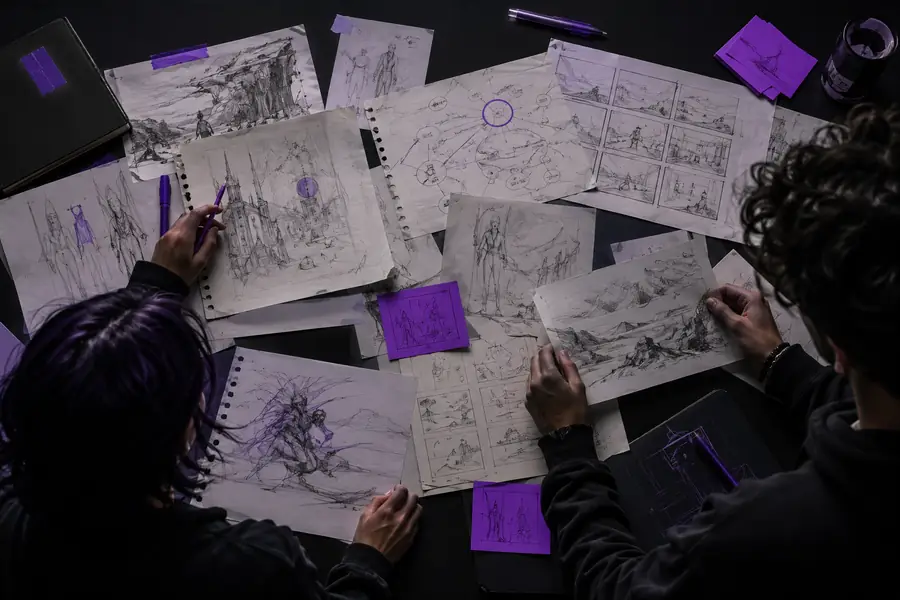
A rough creative starting image before AI refinement
A rough creative starting point
A more developed creative result after AI refinement
A more developed creative direction

This before-and-after view captures the intended relationship: EaseMate AI helps develop an initial idea, while the person using it decides what to keep, change, and share.

A simple answer to a common search

FAQ: the EaseMate AI app

1 workspace for varied tasks
3 steps from prompt to refinement
4 common audience starting points
ways to revise an idea

It is an all-in-one AI workspace for chat, writing, study support, research, documents, image creation, and creative planning. The app helps turn instructions and source material into drafts, explanations, or ideas that you can review and refine.

EaseMate AI can answer questions, help structure writing, work through learning tasks, summarize supplied material, and support visual or video concepts. Its role is to speed up exploration and drafting rather than remove the need for human review.

EaseMate AI is accessed online through a browser, so you can use its assistant and creative capabilities from a computer or smartphone without treating it as a single offline program.