 EaseMate AI
It cannot replace expert judgment
Generated explanations, summaries, and recommendations can be incomplete or confidently wrong, especially on specialist subjects.
Workaround: verify important claims against primary sources or a qualified reviewer.
Independent guide to everyday AI use
This EaseMate AI review looks past the feature list to examine how EaseMate AI fits into writing, study, research, image creation, and video planning. It is useful for readers comparing a flexible workspace with narrower tools, but it is not a substitute for checking current outputs yourself.
Before the all-in-one workspace
Earlier workflows usually meant moving between a chatbot, a document editor, an image tool, and a separate study resource. That approach could work, but every handoff added friction: prompts had to be rewritten, files had to be re-uploaded, and context was easy to lose. EaseMate AI is more appealing when the goal is to keep those connected tasks in one place rather than master several unrelated interfaces.
Generated explanations, summaries, and recommendations can be incomplete or confidently wrong, especially on specialist subjects.
Workaround: verify important claims against primary sources or a qualified reviewer.
The browser-based experience depends on connectivity and may involve sending prompts or files to a hosted service.
Workaround: remove sensitive details and keep local copies of source files before uploading.
Image and video ideas can vary between attempts, and small prompt changes may alter style, composition, or continuity.
Workaround: save strong prompts, iterate in stages, and review every output before publishing.
EaseMate AI can accelerate concepts and drafts, but it does not remove the need for editing, asset management, or final design checks.
Workaround: use it for preparation, then finish in the tools built for your final format.
The current workflow
Today, a practical EaseMate AI workflow starts with a clear task, adds enough context for the assistant to understand the goal, and ends with a human review. Students may use it beside the student-focused tools, while creators can move from a rough brief toward images, scripts, or storyboards without restarting from zero.
A short checklist before you judge the result.
The meaningful difference
The biggest change is not that EaseMate AI makes every task automatic. It reduces the distance between asking, revising, and applying an answer. The experience is strongest when a user wants one place to explore several formats, then decide which result is worth keeping. Readers who care most about conversation can also compare the dedicated EaseMate AI chat experience with a broader creative workflow.
Choose by the job
A fair review should not force one tool into every situation. These simple branches show where the all-in-one model is useful and where a specialist may be the better decision.
The people most likely to benefit
The natural switchers are people who regularly move between research, writing, and creative production. Students can use it to turn notes into study material; marketers can shape campaign concepts; and creators can test visual directions before opening a full production app. If your main question is whether the product is a safer fit for your situation, read the dedicated is EaseMate AI safe guide alongside this assessment.

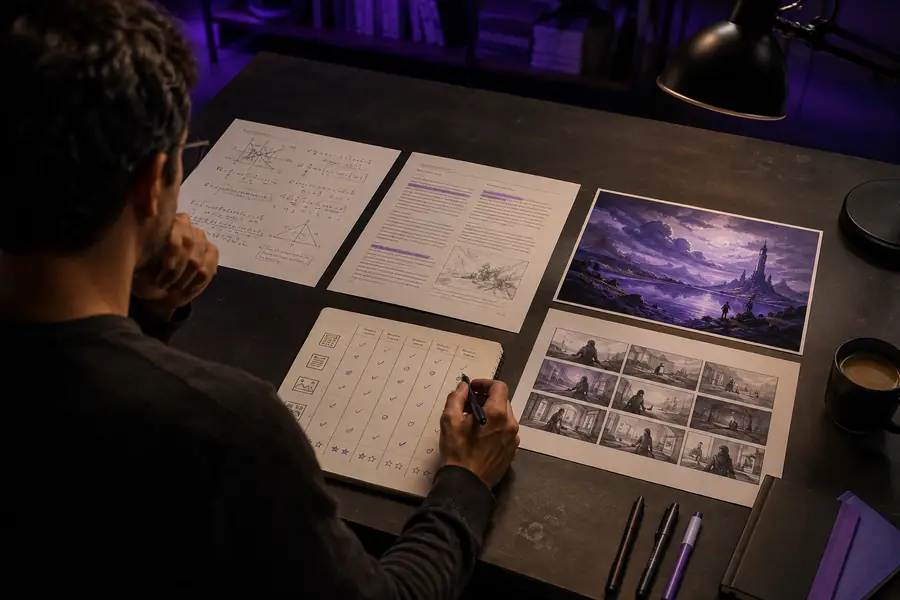
The improvement is workflow continuity, not automatic perfection: the user still directs the process, checks the output, and decides what deserves a final edit.
A practical test
Rather than judging the product from one impressive demo, use a small repeatable test. Compare the time saved, the quality of the first result, and the amount of editing still required. That gives you a more durable view of EaseMate AI than a single generated image or a one-off answer.
Choose a task you already understand, such as summarizing notes, drafting a brief, or creating a visual direction.
Improve the prompt once, then compare whether the second result becomes clearer, more accurate, or more usable.
Include fact-checking, formatting, and cleanup in your decision, not just the speed of generation.
How the format evolved
The story behind this kind of assistant is a gradual shift from isolated answers toward workflows that preserve intent across different media. EaseMate AI reflects that direction by placing study, writing, research, images, and video ideas closer together.
People began using conversational prompts for research, drafts, explanations, and planning instead of searching one answer at a time.
Image, video, and style tools made the same prompt-led workflow useful beyond plain text.
The useful question is whether a tool saves effort across a project, not whether one output looks remarkable.
Better assistance should make decisions easier, while leaving responsibility and final taste with the user.
It should look at the actual workflow: useful capabilities, limitations, output quality, privacy considerations, and how much human editing remains after generation.
No. A review can identify patterns and trade-offs, but your own prompts, files, subject area, and quality expectations determine whether the experience is a good match.
Test one meaningful task, run a second iteration, compare the editing required, and verify any claim that matters. That produces a more useful verdict than a feature count alone.