 EaseMate AI
Product teams
Place an existing product into seasonal scenes, alternate interiors, or campaign-ready backgrounds while keeping its visual identity in view.
See how an image to video generator extends product conceptsReference-led creative editing
An image to image AI generator starts with something you already have—a portrait, product photo, sketch, or scene—and creates a new visual guided by your instructions. Keep the subject, shift the mood, or explore a completely different direction without beginning from a blank prompt.
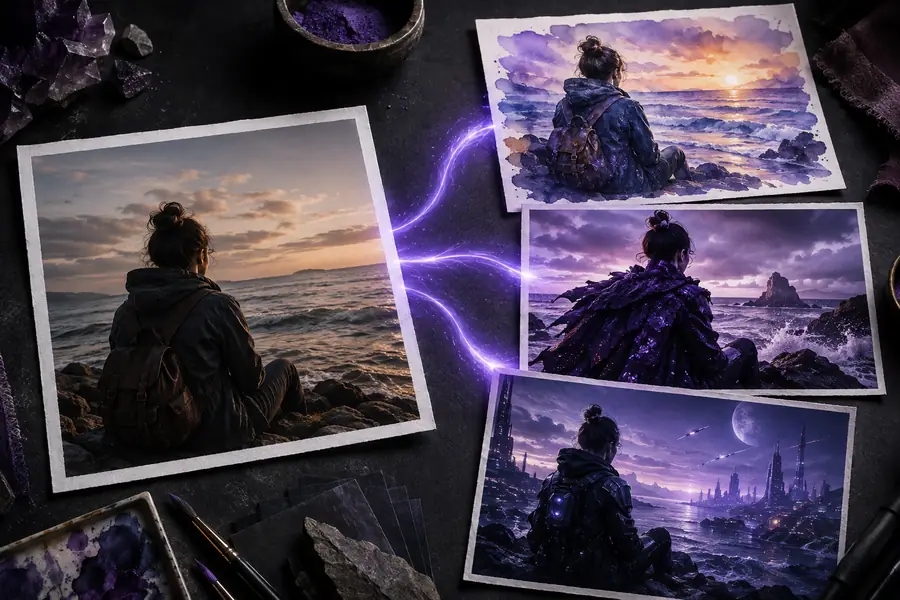
Start with what you know
Image-to-image generation is different from ordinary text-to-image creation because your visual reference carries structure into the result. The source can suggest a pose, silhouette, color family, framing, or composition while your prompt asks the model to reinterpret it. That makes this format useful when the first idea is close, but not quite ready to publish.
Use it for controlled exploration rather than one-shot guessing: describe the change you want, compare a few outputs, and keep the strongest direction. It is especially practical for adapting a concept across campaigns, styles, audiences, or formats.
| Attribute | Reference image | Generated image |
|---|---|---|
| Role in the process | Starting point | Finished variation |
| Prompt guidance | Adds visual context | Shapes the change |
| Original pixels reused | Yes | No, new pixels are synthesized |
| Subject preservation | Optional reference | Can be targeted |
| Style changes | Limited by the source | Strong style flexibility |
| Best starting prompt | What should stay? | What should change? |
Controlled transformation
The A-to-B pattern gives the model two kinds of direction at once: the reference image supplies visual evidence, and the prompt supplies intent. A travel creator can turn a daytime street into a cinematic evening scene. A shop owner can test a new background while keeping the product recognizable. A designer can explore materials, lighting, and color without redrawing the original concept.
For motion work, an edited still can become the starting frame for an image to video generator. This keeps the visual direction consistent before animation begins.
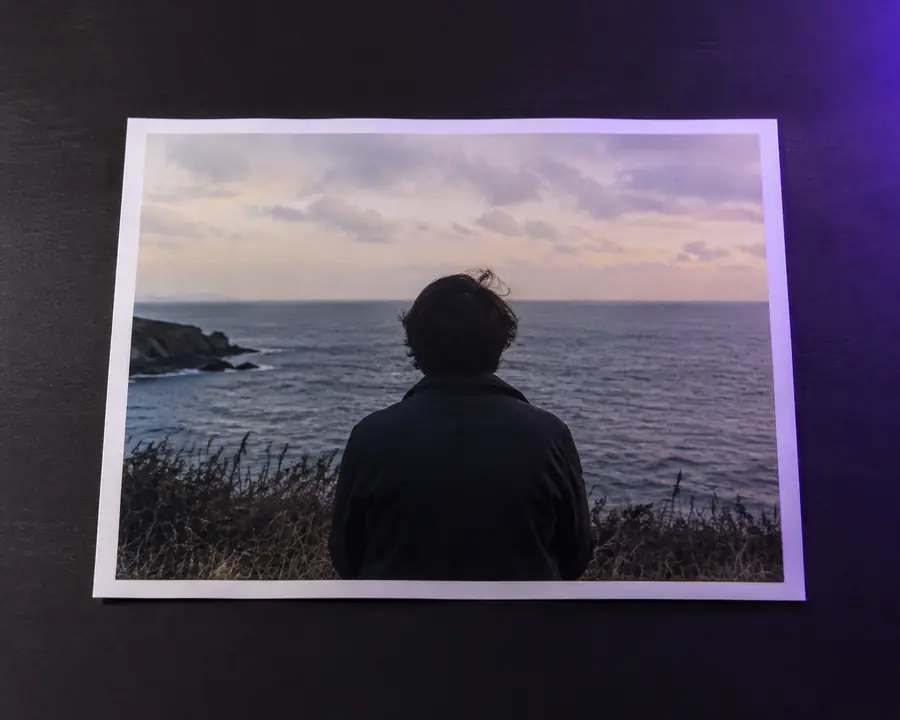
The strongest results name the subject, preserve-list, desired change, visual style, and framing in that order. If you want to animate the finished frame, continue with an image to video generator after the still image feels right.
One workspace, several starting points
Choose a source with a clear subject, describe the intended transformation, and compare the output against your brief. The same image-to-image workflow can support quick experiments or repeatable production tasks.
Open the creative workspacePlace an existing product into seasonal scenes, alternate interiors, or campaign-ready backgrounds while keeping its visual identity in view.
See how an image to video generator extends product conceptsRework a portrait, thumbnail, or travel photo into several moods so you can test a visual direction before publishing.
Turn a still idea into an image to video generator promptUse sketches, wireframes, or rough references to explore materials, lighting, and art direction before committing to a polished layout.
Build a visual sequence with an image to video generatorTurn a simple diagram or classroom reference into clearer visual examples for lessons, workshops, and internal presentations.
Explore motion after the still with an image to video generatorA practical planning guide
Use the estimator below to set expectations before you create a batch of variations. It is a simple planning model, not a promise about processing speed; actual results depend on image complexity, prompt detail, and the number of versions you review.
Good results start with honest expectations
Image-to-image tools are flexible, but they are not a substitute for precise retouching or manual design in every situation. These answers explain where the workflow is strongest.
Small labels, dense typography, and exact spelling can be inconsistent in generated variations.
Workaround: add final text in a design editor after choosing the strongest visual.
A face, logo, or distinctive object may drift when the style or composition changes substantially.
Workaround: use a clear reference and describe the features that must remain unchanged.
Fingers, jewelry, overlapping objects, and unusual poses deserve a close inspection before publishing.
Workaround: simplify the prompt, generate multiple options, and select the cleanest result.
A reference can guide framing without locking every spacing, crop, or perspective choice to pixel-level precision.
Workaround: keep important subjects away from the edges and leave room for a final crop.
It uses an existing image plus written guidance. The image provides visual structure, while your prompt describes the changes, style, mood, or setting you want to explore.
Yes, that is one of the clearest image-to-image use cases. State what should stay, then describe the new environment, lighting, palette, and camera perspective.
Start with a sharp, well-framed reference and use a specific prompt. Keep the subject description stable while changing only one creative variable at a time.
Yes. You can test backgrounds, lighting, layouts, moods, and campaign directions—not only cartoon or painting effects. The reference keeps each experiment connected to the original idea.